Coding is really hard.
I honestly don’t know how long it takes before someone can sit down at a computer and write code as easily as they’d write a letter.
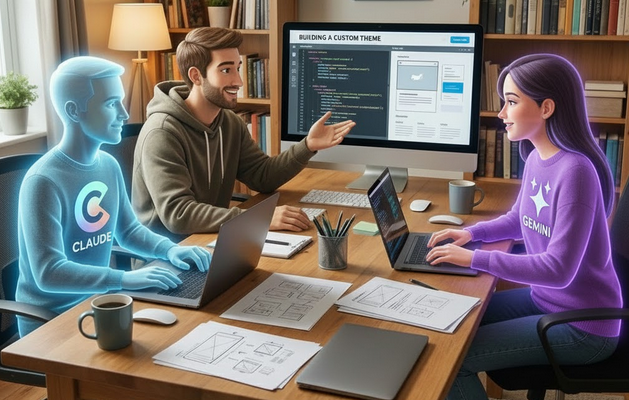
These days, with artificial intelligence around, you don’t really need to be a PHP, CSS, or JavaScript expert to create a WordPress theme.
About 95% of the time, I’ve used GeneratePress — a great theme built and maintained by people who follow good practices, care deeply about performance, and hate unnecessary bloat.
Despite GeneratePress being a great theme, I stopped using GeneratePress Premium before the subscription ended.
I had the basic covered.
Then I realized that I didn’t need GeneratePress that much.
Why use custom snippets to remove parts of your 404 page and create one from scratch with AI?
That’s exactly what I did
I started removing stuff I didn’t need.
Stuff like what you might be wondering?
I wasn’t using archive pages, search pages, left sidebar templates etc.
I removed so many things and that GeneratePress theme slowly became something else.
The custom theme I created with Artificial Intelligence is not something I would share with anyone but it is a theme like over all themes out there.
I can do whatever I want with it. I change so many things in it that it becomes a new thing on every personal site I use it.
A week or so ago, I gave Tailwind a chance and I love it.
I don’t know if I will ever hate it.
My buddies Claude created the design this website has.
Recommendation #1: PHP Templates
You can pretty much create anything you want, as long as it’s reasonable.
You don’t need a plugin for every little thing anymore.
You can just ask Claude or Gemini to design a great-looking homepage using HTML, CSS, and JavaScript. If you like what it gives you, you can use it as your homepage.
Just copy and paste the code into your front-page template, and suddenly you’ve got a clean, good-looking homepage.
You might need to tweak some sections with PHP, but others can stay exactly as they are and be dropped straight into your theme.
Once that’s done, take your first creation and ask Claude or Gemini to generate templates for your posts and pages.
It’s honestly amazing.
Recommendation #2: Don’t Create this and that Template
If you don’t need an archive page, don’t create the archive page template.
If you’re not planning to use search, there’s no reason to build it.
If you’re not using tags in your posts, then don’t bother creating anything for them.
You are not going to be the new Kadence, GeneratePress, Astra and and that’s perfectly fine.
This is what I have today and it might be a bit more or a bit less tomorrow.
ticolibre/
├── 404.php
├── archive-page.php
├── blog.php
├── front-page.php
├── functions.php
├── header.php
├── footer.php
├── index.php
├── single.php
├── style.css
├── Screenshot.png
│
├── front/
│   ├── front_hero.php
│   ├── front_welcome.php
│   ├── front_apps.php
│   ├── front_faq.php
│   └── front_search.php
│
└── pro/
    ├── display_hero.php
    ├── display_author_box.php
    ├── insert_header.php
    └── insert_footer.php
I am happy with the stuff I am learning.
Recommendation #3: Security
I haven’t paid much attention to the security side of things.
I work locally, create a static version of my site, push that static site to GitHub and then GitHub pushes to Cloudflare pages.
Neither my server, database, nor installation is exposed to the internet.
I can’t get hacked.
I’d probably be a lot more cautious if I were still hosting my sites on Cloudways.

Manuel Campos
I'm a WordPress enthusiast. I document my journey and provide actionable insights to help you navigate the ever-evolving world of WordPress."